Helping young adults scroll less through social accountability.
Project Highlights
0.1
Hi-fi screen highlights.
Kevin-generated Overview
Fostering a more intentional relationship with technology in young users.
Prompted to create a fun, engaging, and mindful solution to help people reclaim balance and combat digital addiction. Empower users to manage screen time, prioritize mental well-being, and foster a more intentional relationship with technology.
Accolades
1st Place —
UCLA Designathon 2025
Team
Akira W. (Designer)
Jennifer Y. (Designer)
Me (Designer)
My Role
User Research
UX, UI Design
Skills
Figma
Prototyping
Product
Challenges we faced
Unhealthy feedback loops prey on young adults.
Bad habits are socially enforced
Staying in the loop with friends and trends incentivizes social media use.
No accountability
It's easy to click "ignore" on screen time restrictions and other existing apps.
One day deadline
Initial solution turnaround was in 7 hours for the designathon.
Research
Symptoms and challenges surrounding unhealthy technology use
High screen time averages (7hr/day).
Obesity, sleep disorders, mental health conditions.
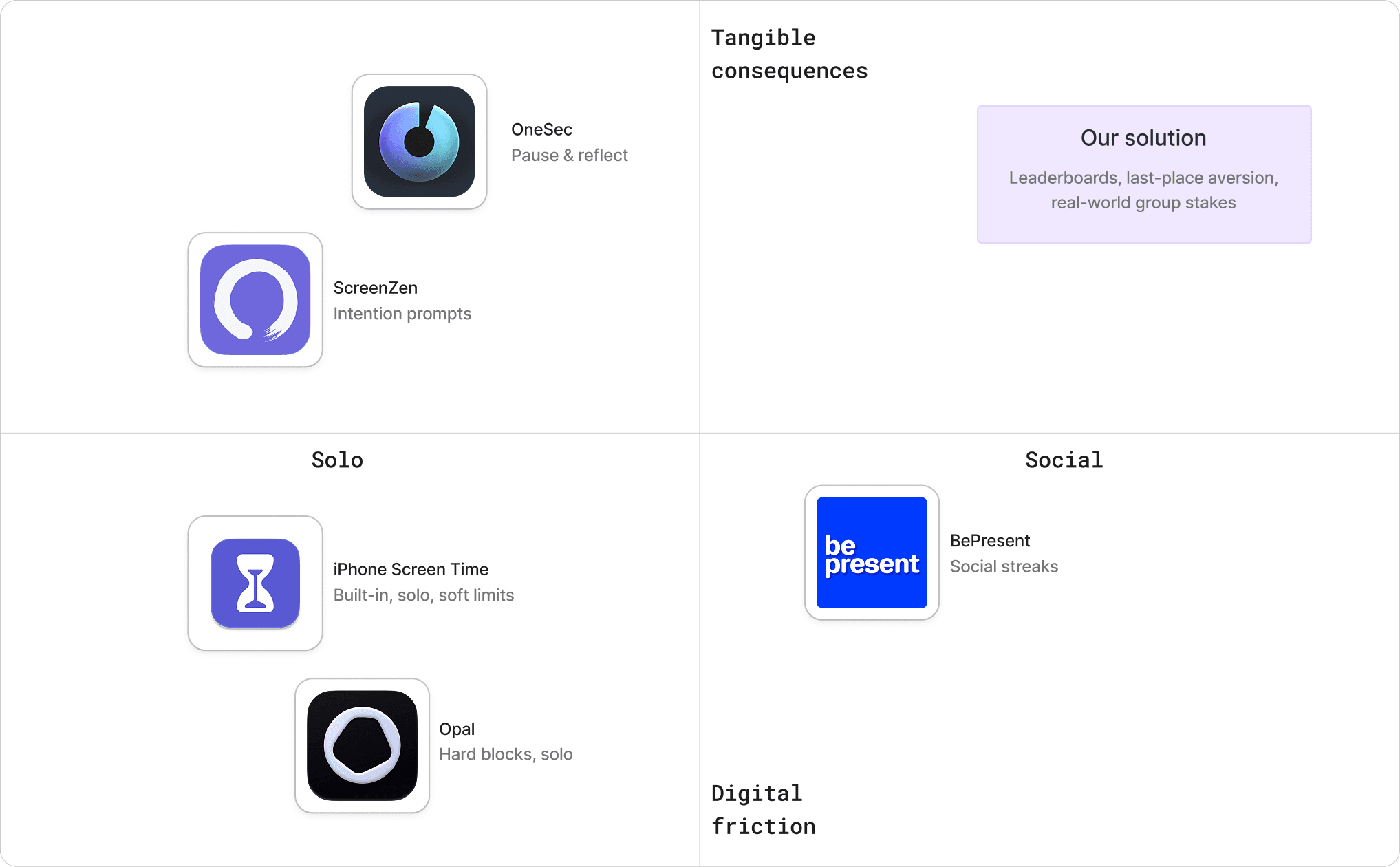
Existing solutions are for solo users.
Users ignore warnings or delete the app entirely.
0.2
Identifying market gap to solve within.
Rapid iteration
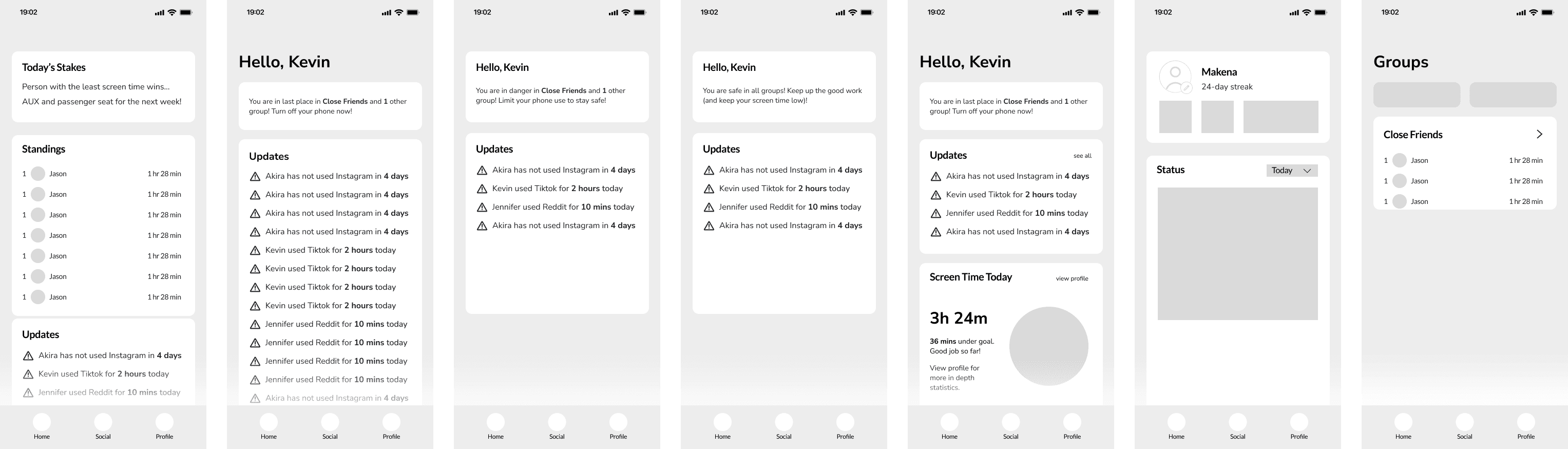
Iterative lo-fi design helped us refine our solution under extreme time constraint
0.3
Refining layout and filtering out unnecessary features.
Key Decisions
Integrating social accountability
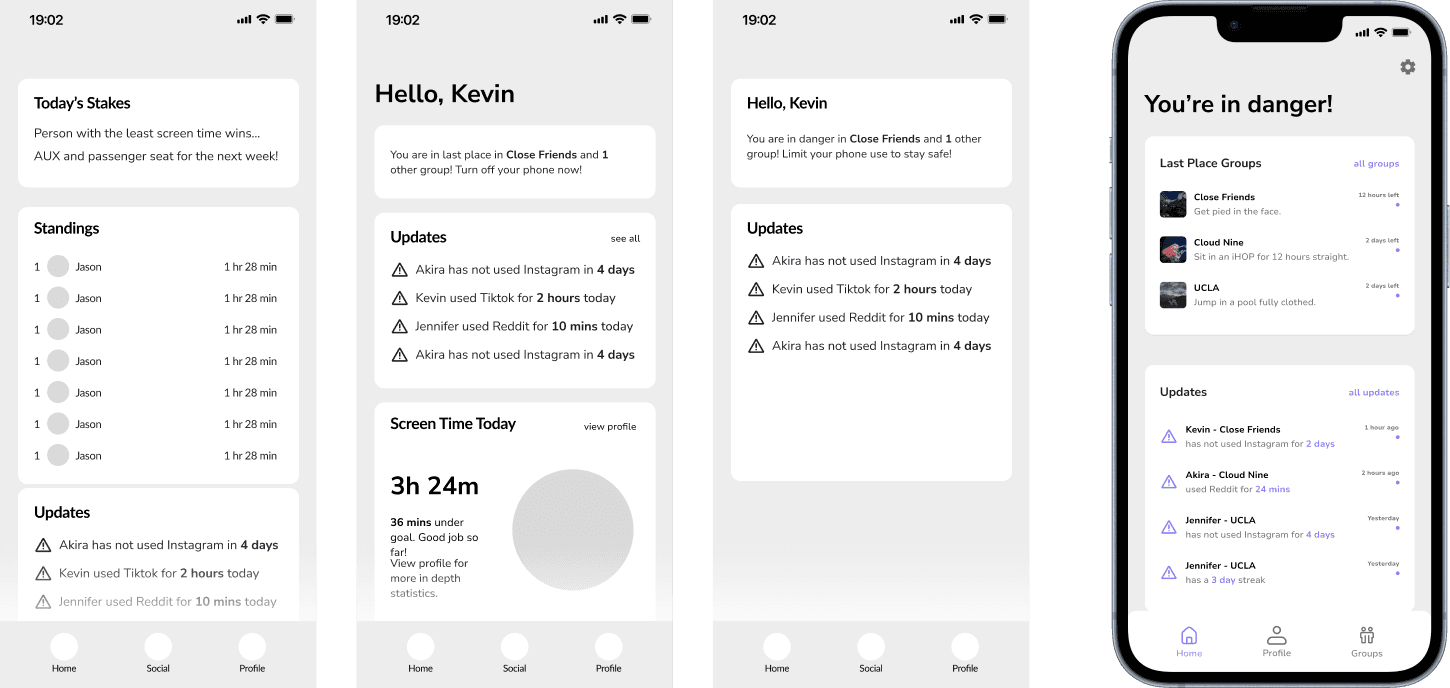
Decision #1: Simplify home page layout.
Before
Leaderboards and confusing stats were surfaced on home page.
After
Only major updates displayed, and groups are abstracted.
1.1
Home page
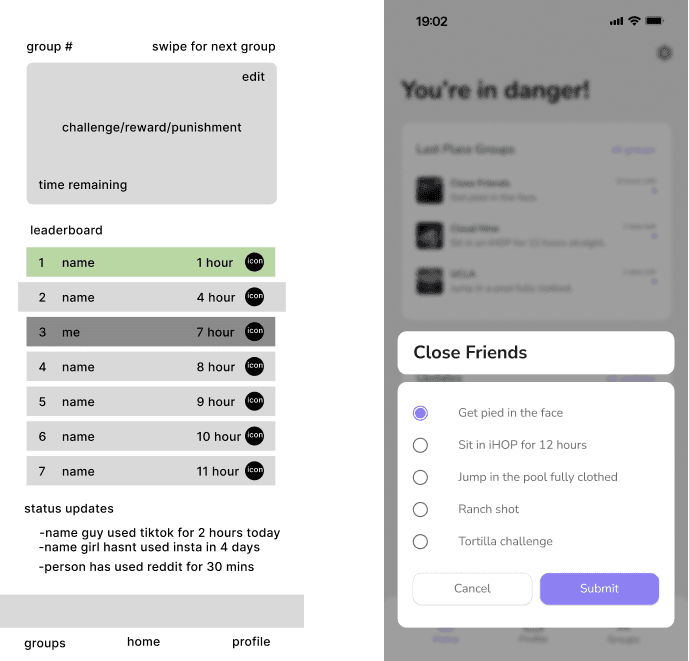
Decision #2: Vote on user-inputted consequences.
Before
Group consequences were preset.
After
Users input possible real-world consequences for person in last place. Ensures there is a real aversion to finishing last.
2.1
Choosing group consequences.
Final Designs
Discouraging screen time using real-world consequences amongst friends
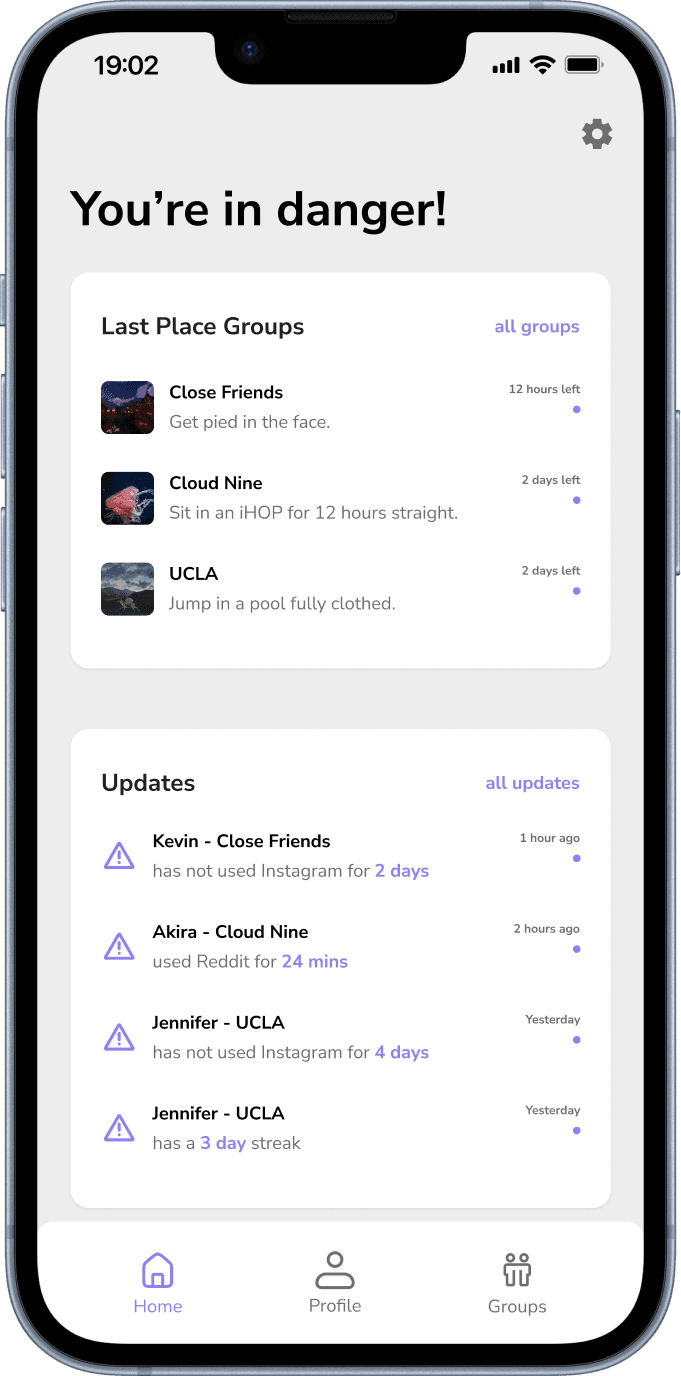
3.1
Home page.
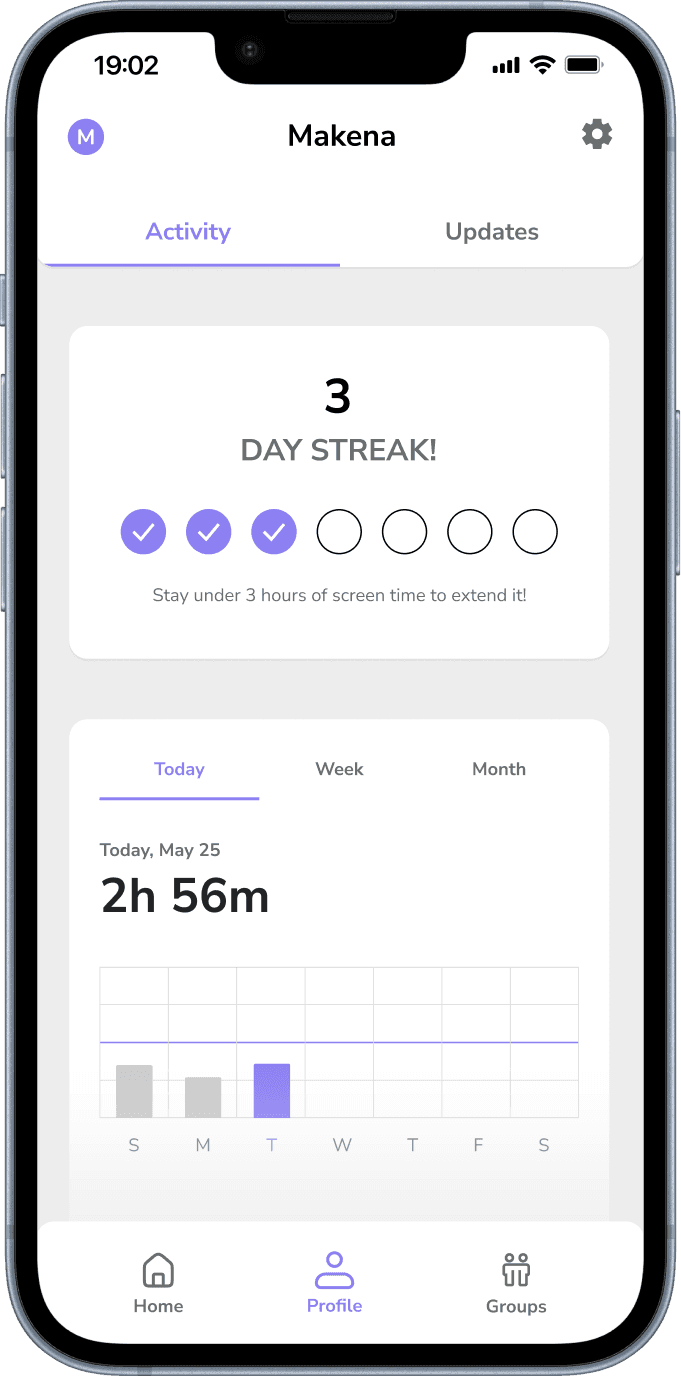
3.2
User activity.
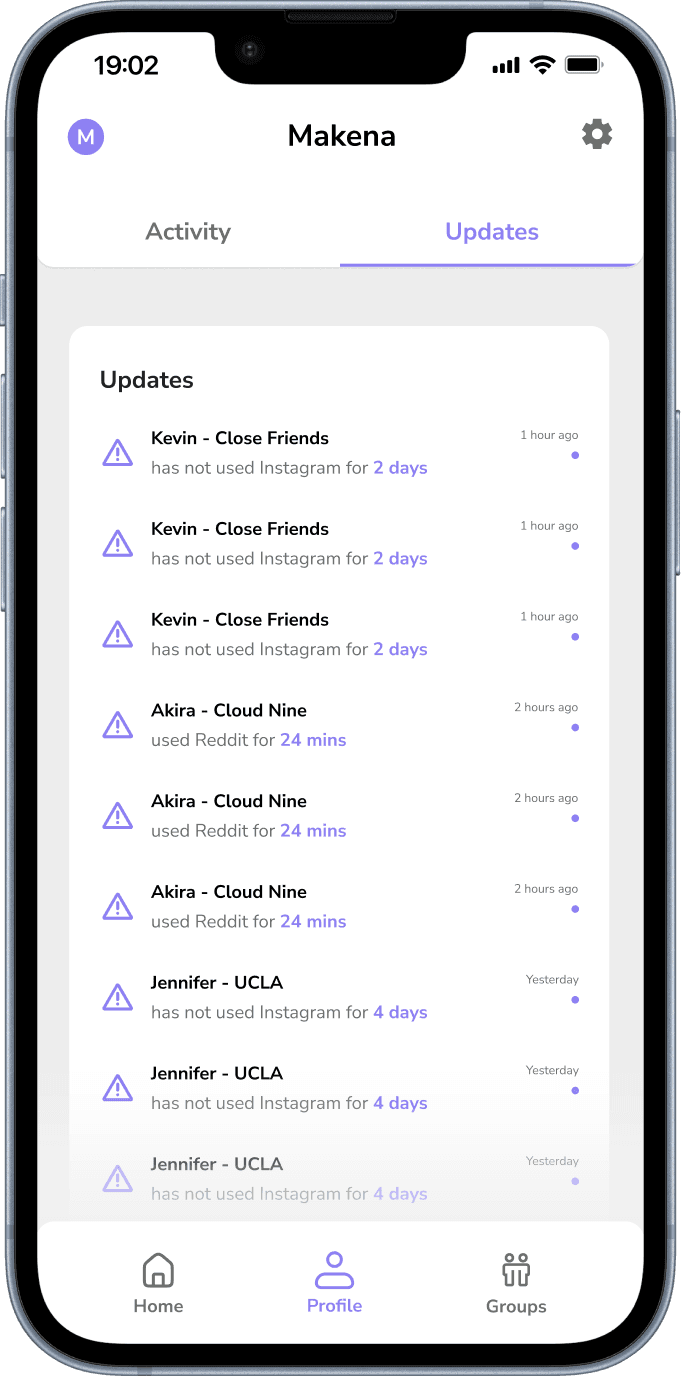
3.3
Updates from friends across all groups.
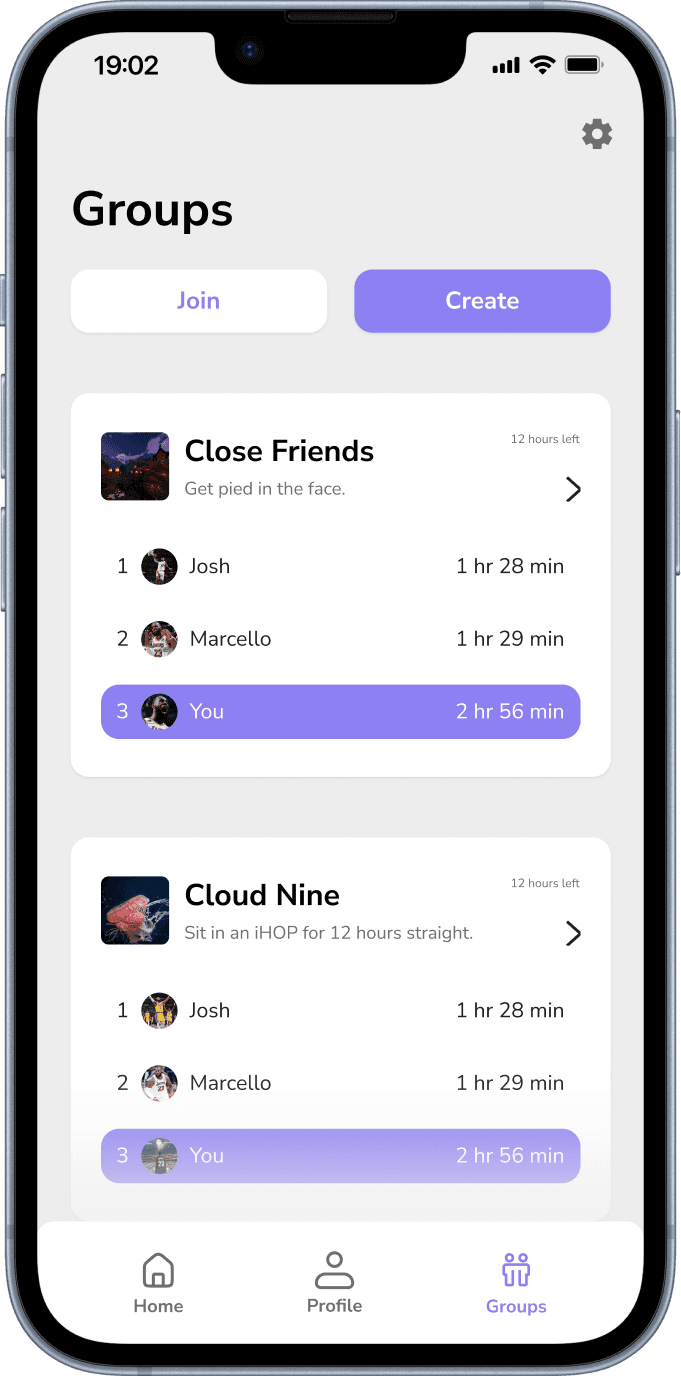
3.4
Leaderboards per group.
Impact
First place and next steps
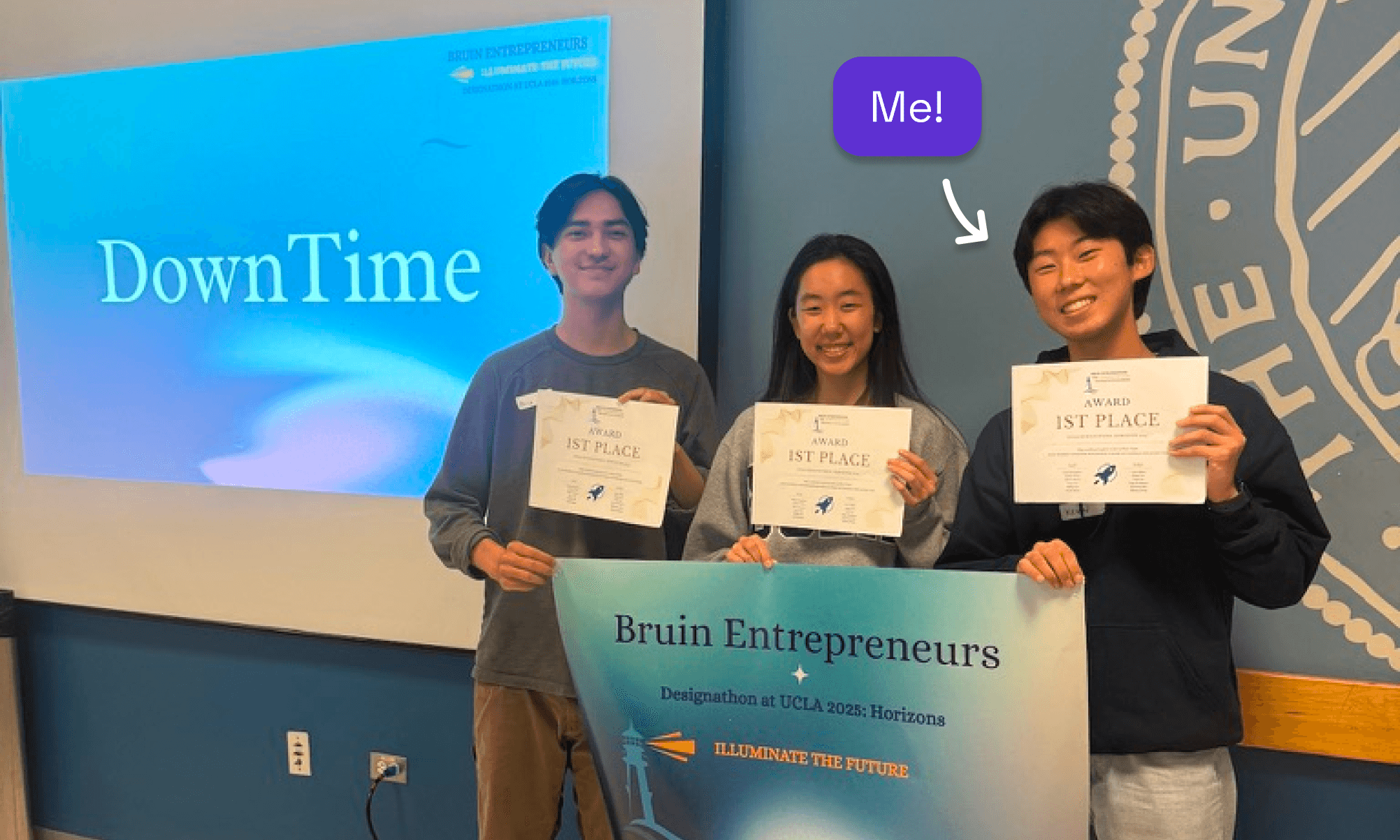
4.1
We won first place at the UCLA Designathon!
We won 1st place in this designathon, but there would still be lots to focus on if we were given more time.
I would want to consider more edge cases, such as introducing personalized matching into groups for people who don't have like-minded friends trying to reduce their screen time.
Helping young adults scroll less through social accountability.
Project Highlights
0.1
Hi-fi screen highlights.
Fostering a more intentional relationship with technology in young users.
Kevin-generated Overview
Prompted to create a fun, engaging, and mindful solution to help people reclaim balance and combat digital addiction. Empower users to manage screen time, prioritize mental well-being, and foster a more intentional relationship with technology.
Accolades
1st Place — UCLA Designathon 2025
Team
Akira W. (Designer)
Jennifer Y. (Designer)
Me (Designer)
My Role
User Research
UX, UI Design
Skills
Figma
Prototyping
Product
Challenges we faced
Unhealthy feedback loops prey on young adults.
Bad habits are socially enforced
Staying in the loop with friends and trends incentivizes social media use.
No accountability
It's easy to click "ignore" on screen time restrictions and other existing apps.
One day deadline
Initial solution turnaround was in 7 hours for the designathon.
Research
Symptoms and challenges surrounding unhealthy technology use
High screen time averages (7hr/day).
Obesity, sleep disorders, mental health conditions.
Existing solutions are for solo users.
Users ignore warnings or delete the app entirely.
0.2
Identifying market gap to solve within.
Key Decisions
Integrating social accountability
Decision #1: Simplify home page layout.
Leaderboards and confusing stats were surfaced on home page.
Only major updates displayed, and groups are abstracted.
1.1
Home page layout.
Decision #2: Vote on user-inputted consequences.
Group consequences were preset.
Users input possible real-world consequences for person in last place. Ensures there is a real aversion to finishing last.
2.1
Choosing group consequences.
Final Designs
Discouraging screen time using real-world consequences amongst friends
3.1
Home page.
3.2
User activity.
3.3
Updates from friends across all groups.
3.4
Leaderboards per group.
Next steps
Ensuring efficacy in a crowded market
We won 1st place in this designathon, but there would still be lots to focus on if we were given more time.
I would want to consider more edge cases, such as introducing personalized matching into groups for people who don't have like-minded friends trying to reduce their screen time.
Rapid iteration
Iterative lo-fi design helped us refine our solution under extreme time constraint
0.3
Refining layout and filtering out unnecessary features.