Just Detention International
Bridging the gap in support for
incarcerated individuals nationwide.


Kevin-generated Overview
I led design for a modern way to support incarcerated individuals in navigating the topic of sexual abuse.
Just Detention International (JDI) seeks to end sexual abuse in all forms of detention. Previously, their efforts consisted of online survivor resources, social media campaigns, legislative publications, and paper resources for incarcerated individuals.
I worked for JDI as a contract product designer, having sole ownership over the design direction for their efforts in digitizing their humanitarian efforts. During the nine month project, I directed UX research, designed information architecture for the tablet application, and presented my prototyped designs to stakeholders.
The Problem at Hand
Incarcerated individuals are denied access to preventive and rehabilitative support for sexual abuse.
Prisons do not provide sufficient education to incarcerated people on their rights to stay safe from sexual abuse and harassment, nor do they provide sufficient emotional support services.
JDI has a website and a multitude of discrete resources for incarcerated individuals, but no centralized place for them to access the resources, especially from within prison. Incarcerated people seek support through JDI, but the organization's programs are full with long waitlists.
The Solution
Clear visual language to unify information-dense flows.
Videos as expressive visual elements.
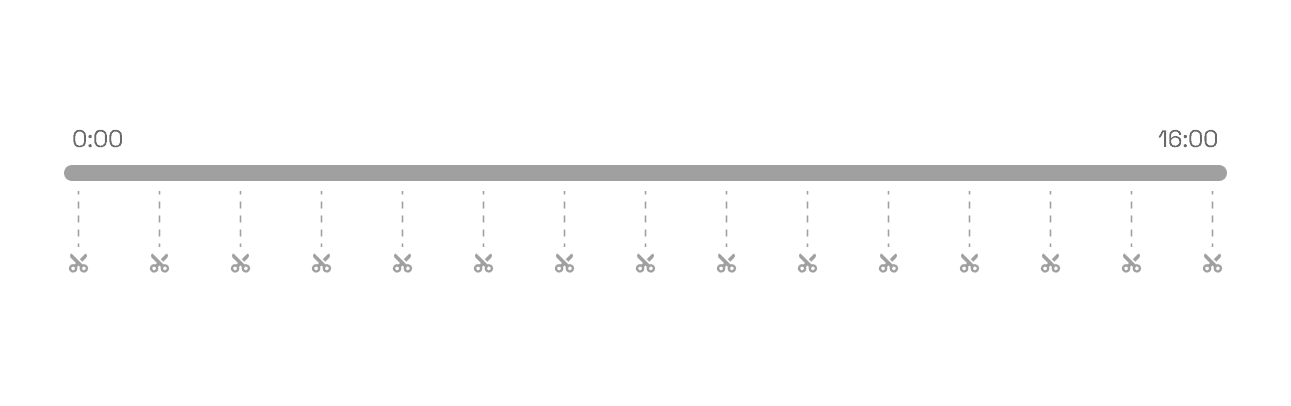
Instead of a single 16-minute video, I broke the content into smaller, topical modules. This made it less intimidating for first-time viewers and easier for users to revisit specific sections, with subtitles and language toggles lowering accessibility barriers.
Structured textual hierarchy to reduce cognitive load.
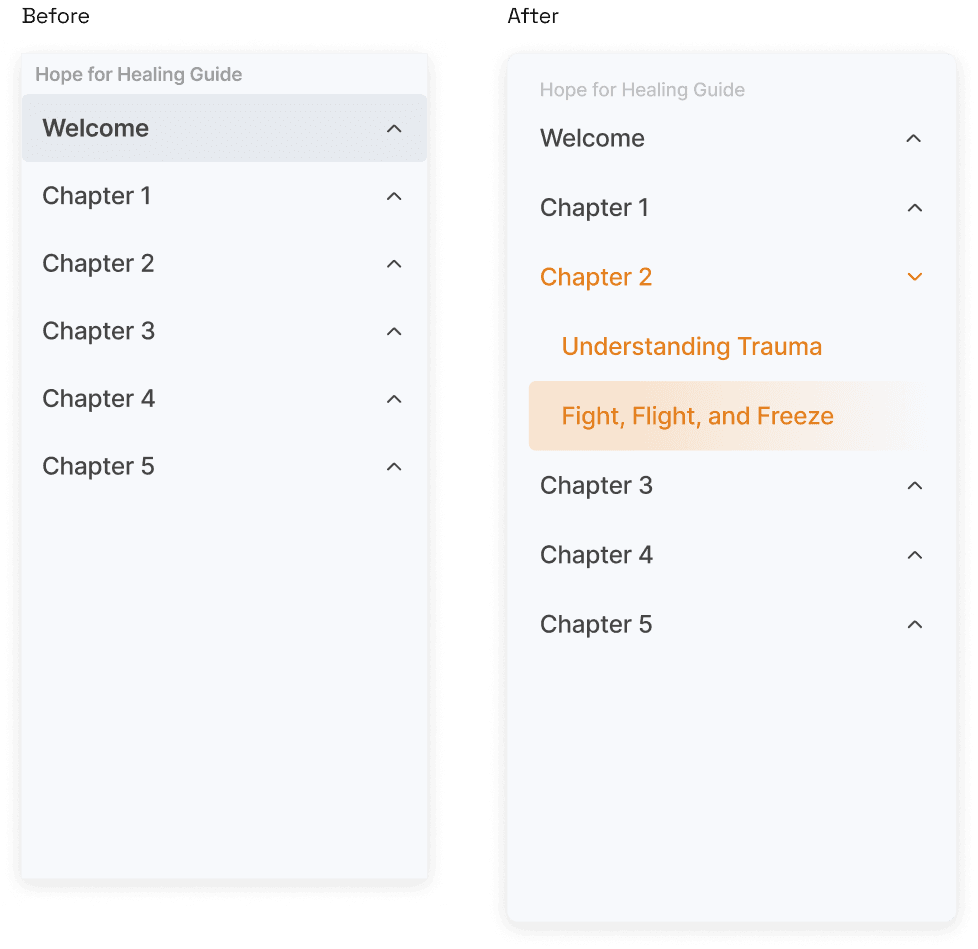
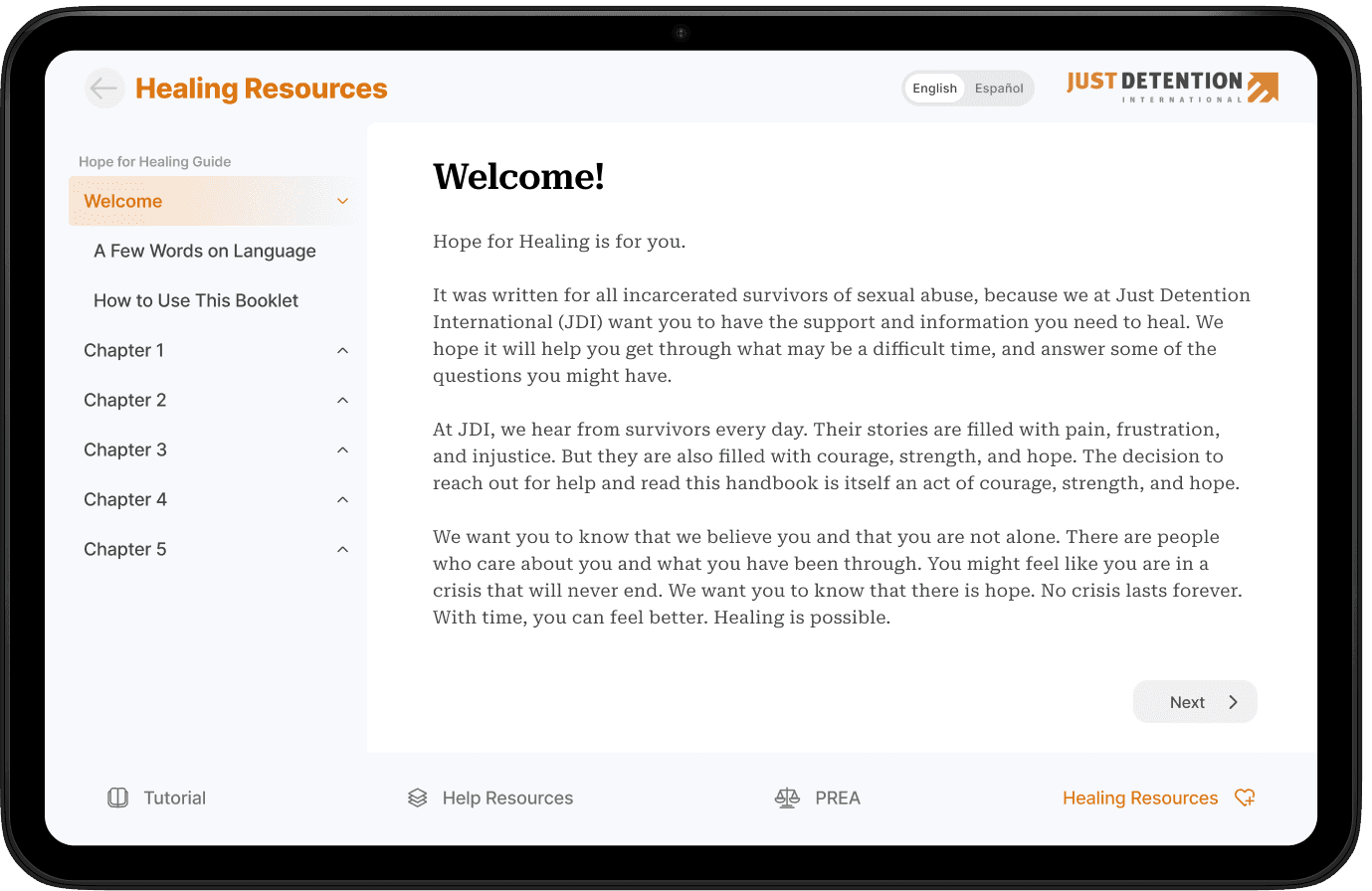
Survivors needed both structured guidance and flexibility, so I designed a reader with two flows: sidebar navigation for quick scanning and simple forward/back navigation for linear reading. This allowed both new and returning users to engage at their own pace.
Organize scattered resources.
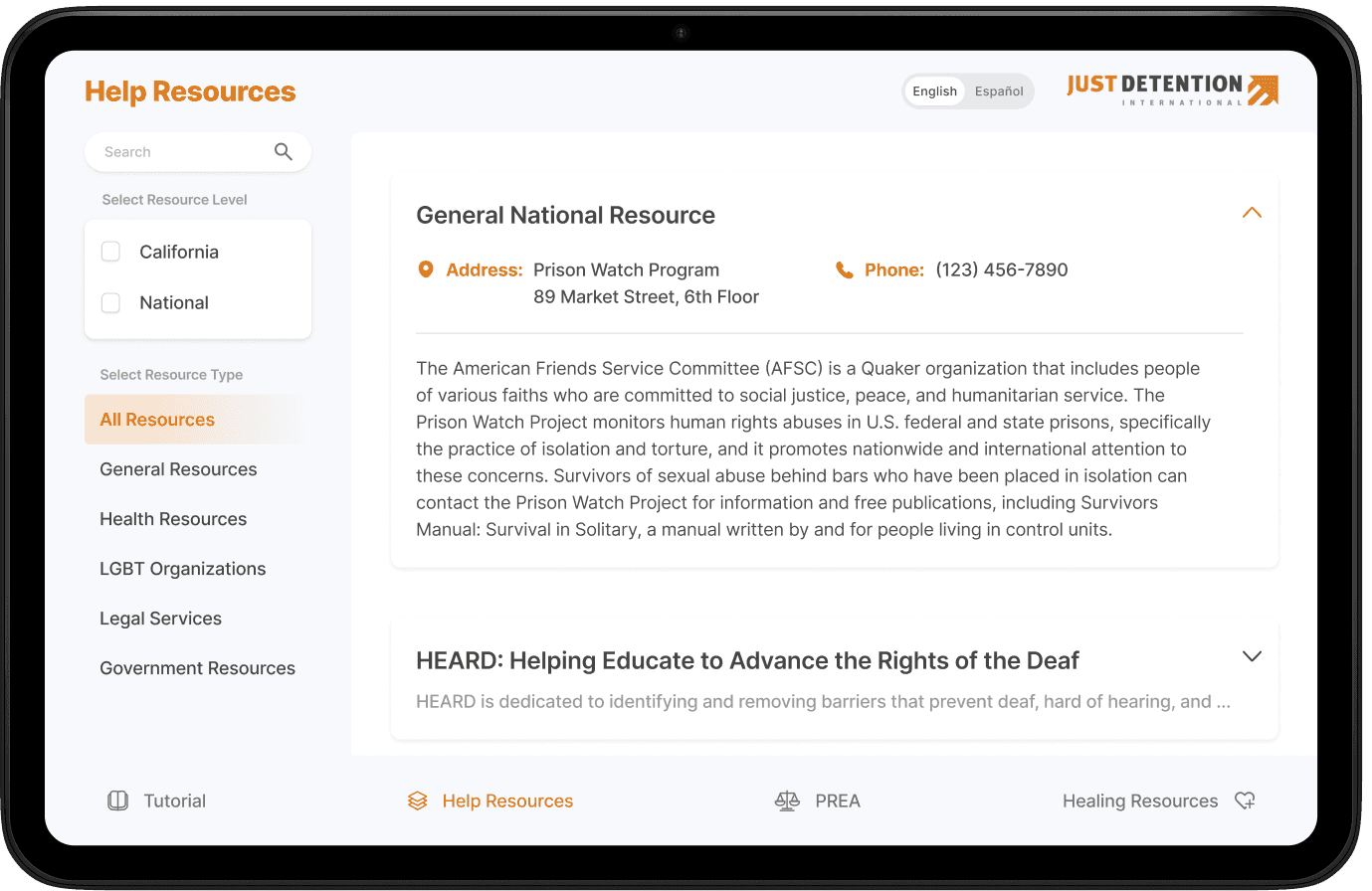
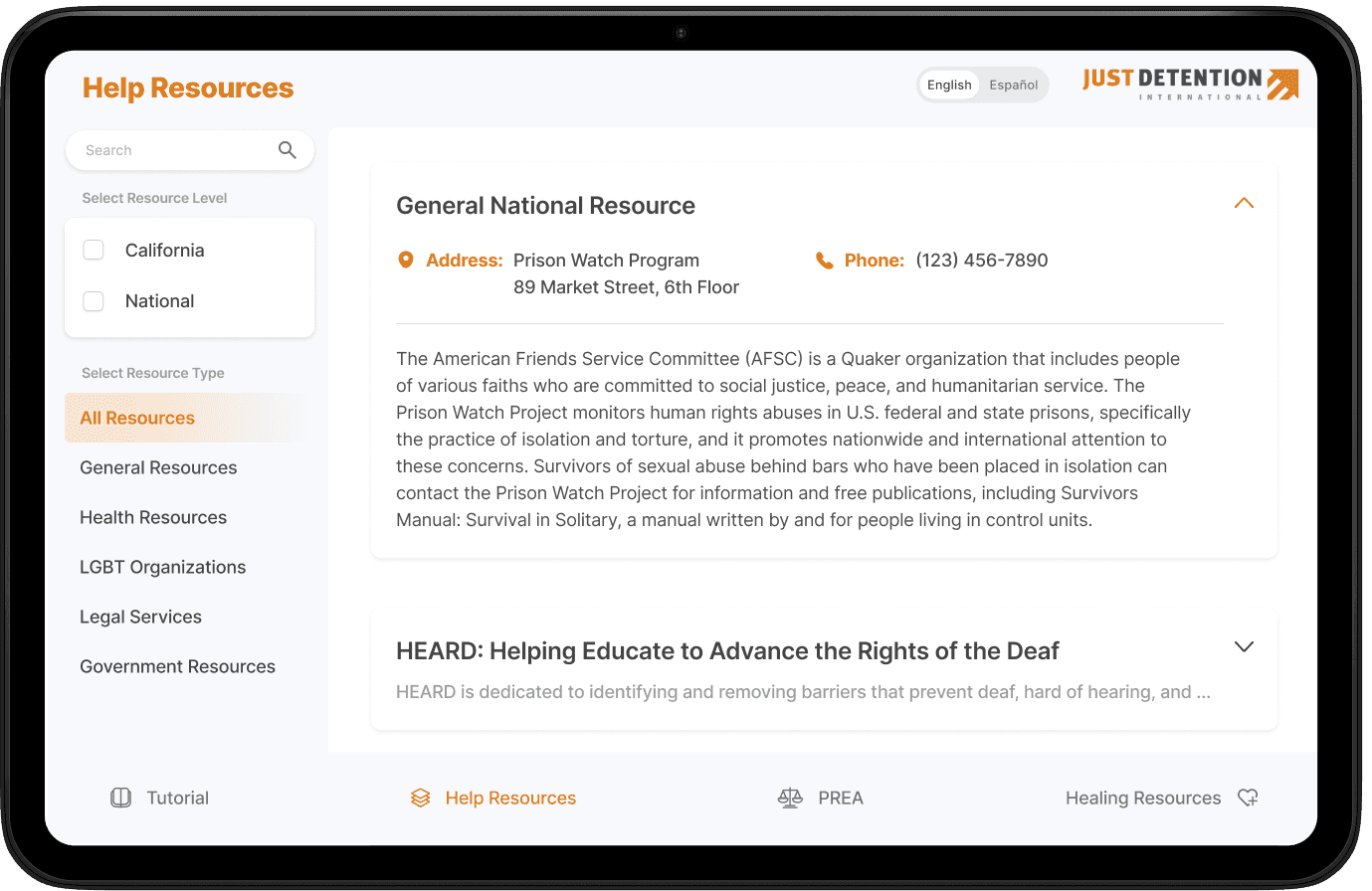
Because JDI's resources were scattered and overwhelming, I reorganized them into a searchable catalogue sorted by type and urgency. This gave both casual browsers and those in urgent need a clearer path to find the right support.
Research
What challenges do incarcerated individuals face when seeking support?
Literature Review
Low literacy + high tablet use = impact at scale.
70% of incarcerated individuals read below a 4th-grade level.
Accessibility requires audio-driven and visual-first design.
84-86% of incarcerated individuals are not computer literate
Interfaces must use familiar, intuitive navigation over abstract menus.
87% of incarcerated individuals use tablets daily.
Tablets are the most realistic delivery channel for educational and healing resources.
1.8M people incarcerated, 7M jail admissions annually.
The incredibly large scale reinforces the impact potential of an accessible solution.
Usability Testing
Pivoting from end-user usability testing
Access to incarcerated individuals was restricted due to privacy concerns.
I conducted usability testing with 18 proxy users: young adults given a role-playing script, outlining how to approach the app with low literacy and lack of exposure to technology in mind.
39% (7) of testers found the initial information hierarchy of the text-based reader to be confusing. 72% (13) of testers wished there was a better way to search for emotional and legal resources than just filters.
Among other insights, two sessions of usability testing - one at MTP stage, one at MVP stage - informed key design decisions that prioritized the sensitive user group, despite the blocker experienced.
User Personas
Pain points of incarcerated individuals in context

Luis is a 42-year-old serving a long sentence in a state prison. Before incarceration, he worked in construction and had little exposure to computers or smartphones. He struggles with reading long texts in English but wants to better understand his rights and keep himself safe inside.
Goals
Learn about PREA rights in a simple & accessible way
Access information in Spanish with clear audio or subtitles
Gain confidence using tablets for education
Frustrations
Overwhelmed by long or text-heavy materials
Confused by complicated navigation on digital devices
Limited access to staff support when he gets stuck

Denise is a 29-year-old woman in a federal facility. She has a GED and some prior experience with smartphones, but her sentence has left her disconnected from the rapid pace of technology. She wants resources to support her healing process and a simple way to find help if she feels unsafe.
Goals
Read and revisit sections of the Hope for Healing Guide at her own pace
Find emotional support resources quickly without needing staff intervention
Use tablets to stay connected to positive coping strategies
Frustrations
Discouraged by technical glitches or when content is hard to find
Finds existing PREA videos too long and difficult to rewatch by topic
Distrusts systems that feel complicated or inaccessible
HMW
How might we design an accessible digital gateway that empowers incarcerated individuals to exercise their rights and seek support while ensuring facilities remain safe and compliant?
Design
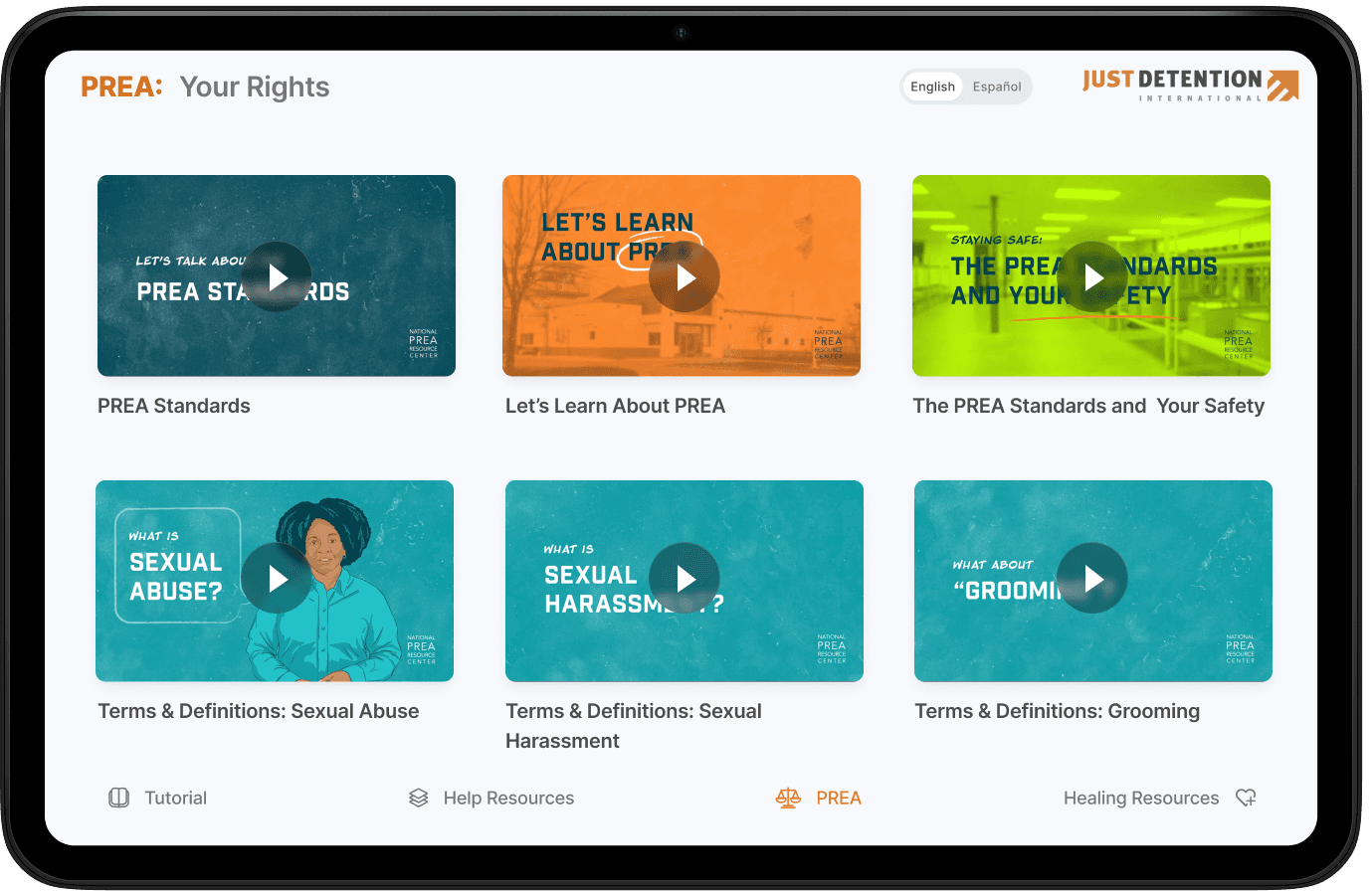
Approachable video modules to learn about individual rights.
Manually split the video into 11 shorter, topic-based parts, each labeled for easier scanning. Presented as ordered modules to encourage linear viewing while also allowing for unconventional learning order.
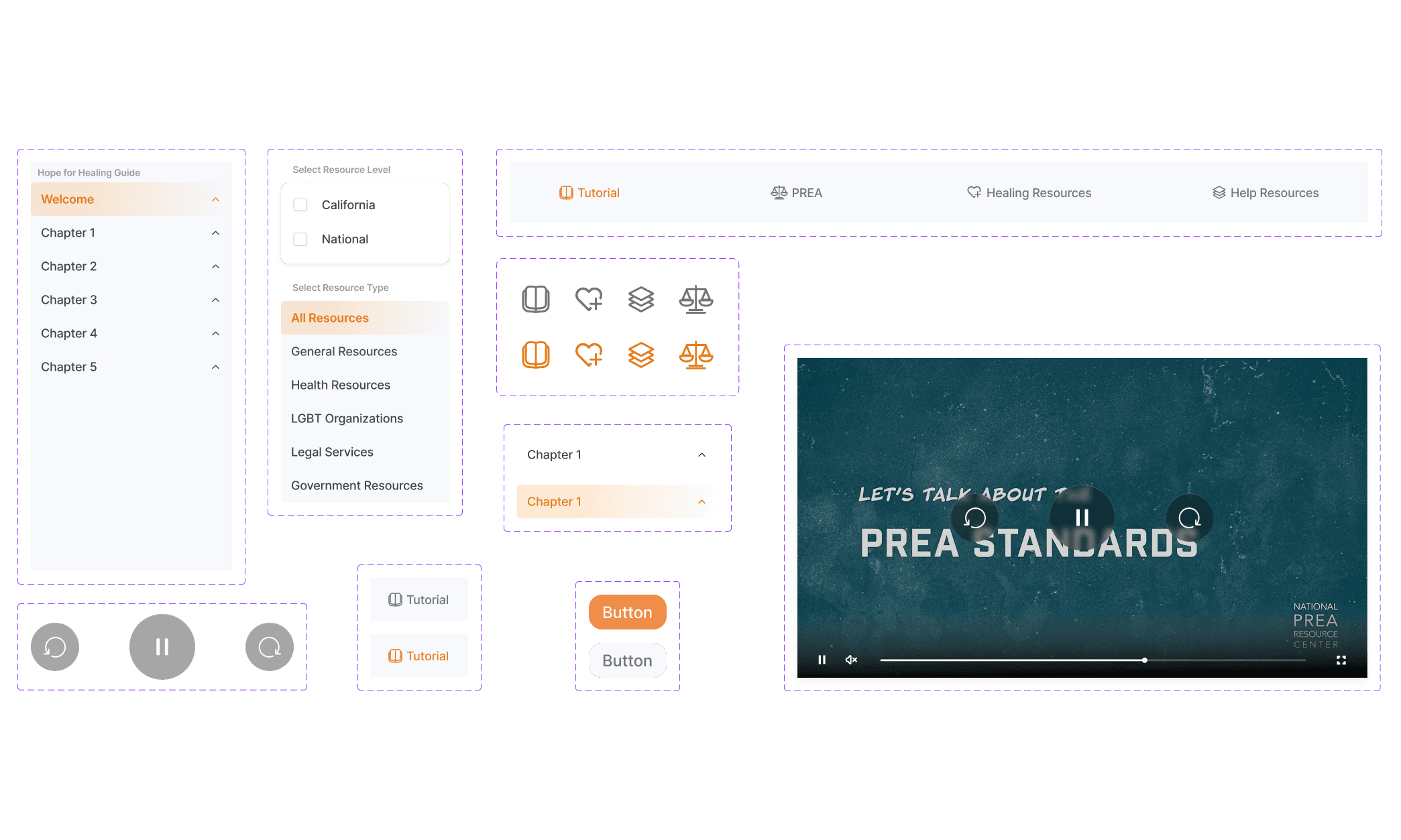
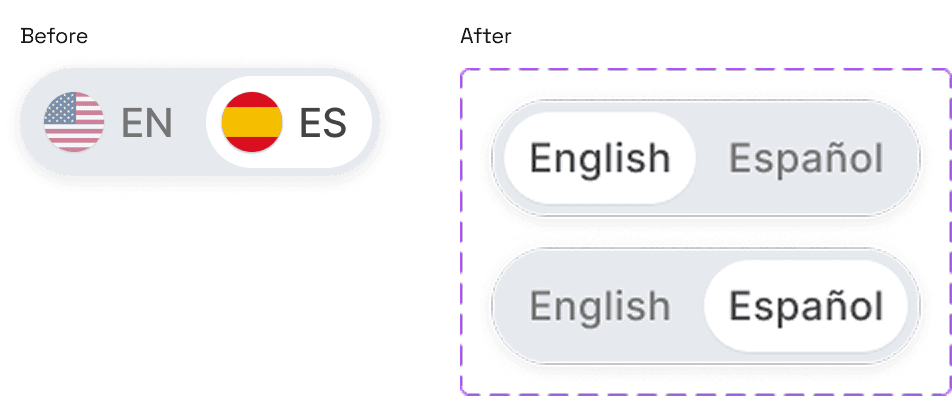
Bilingual accessibility: large language segmented control for simple switch between English and Spanish videos. Respective subtitles embedded in video player.
Modular reader with clear hierarchy.
A survivor-focused self-help guide providing survivors with readings and guided exercises to support healing.
Sidebar navigation to easily scan multiple chapters, always able to view progress & bigger picture. Next and back navigation for first time readers.
Sans serif font differentiates interface from the content of booklet. Content serif font to emulate print text, which users are more familiar with than digital text.

Organized collection of help resources.
Challenge: Incarcerated people often lack support access, and resources are scattered, inconsistent, and text-heavy.
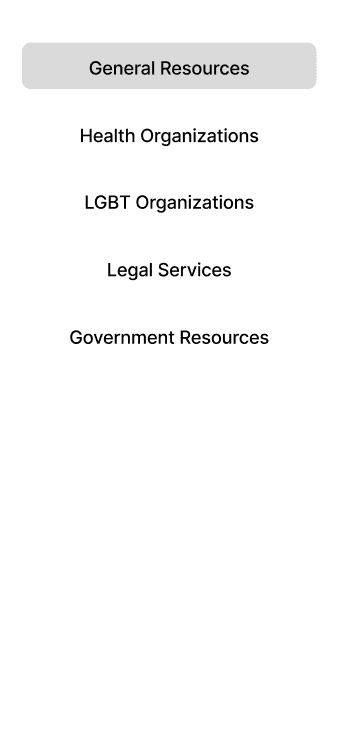
Organized help resources by type, level, and added search bar to improve ease of navigation.
Testing showed participants could find a specific type of help (e.g., legal vs. emotional) faster with filtering than through a linear list.

Reflection and takeaways
Designing for high-stakes environments honed my ability to balance systemic constraints with trauma-informed UX.
I learned from pivoting to proxy testers that even with a seemingly insurmountable constraint, it is always possible (and necessary) to inform key design decisions with iterative testing.
Designing within parameters enforced aggressive prioritization in my design process; notably, I accounted for a sensitive target user, legal compliance with CDCR, prisons, and Prison Rape Elimination Act, trauma-informed language, and technical constraints of a unique Android tablet platform.
Our pilot prisons (CIW and CIM) are in the process of changing tablet providers. The goal for deployment to these 5k+ incarcerated individuals falls sometime in Q2 2026 as we aim to ship under the new tablet contract.
Timeline
Sep 2024 — May 2025
Team
1 Project Manager
6 Developers
1 Product Designer (Me)
My Role
Product Designer —
User Research
UX, UI Design
Prototype Design
Skills
FigJam, Figma
Premiere Pro
Compliance Design
Design Advocacy